Scan-Agnostic Visual Positioning System For Enterprise Scale

Headless, horizontal, vendor-independent VPS. Scan-agnostic. Deploys from public cloud to air-gapped. Centimeter-accurate 6-DoF localization for phones, wearables, robots and drones, indoor or out. Map infrastructure that survives environment changes, re-scans, and version upgrades without re-authoring content.
What a visual positioning system is

A visual positioning system (VPS) works out exactly where a camera is by comparing what it sees against a prebuilt 3D map of the space. It returns 6-DoF pose: three numbers for position, three for orientation, in the map's coordinate frame. Not "near aisle 14", but the precise point the camera occupies and the direction it faces.

How it works

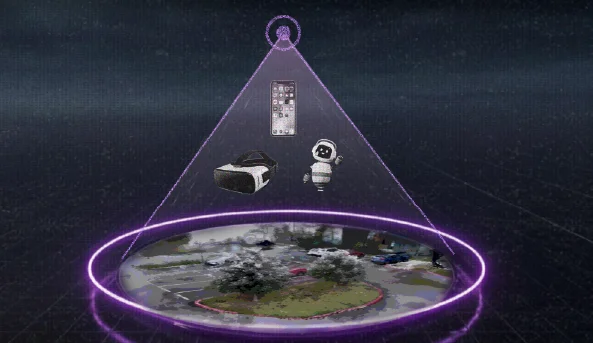
MultiSet captures any environment with any scanner, normalizes it through Vision Fusion into a unified compression-optimized map, then returns a centimeter-true pose in seconds when devices query the map.

SCAN
Capture with any modality - iOS Pro, Matterport, Leica, NavVis, Faro, XGrids, Insta360 and more.
MAP
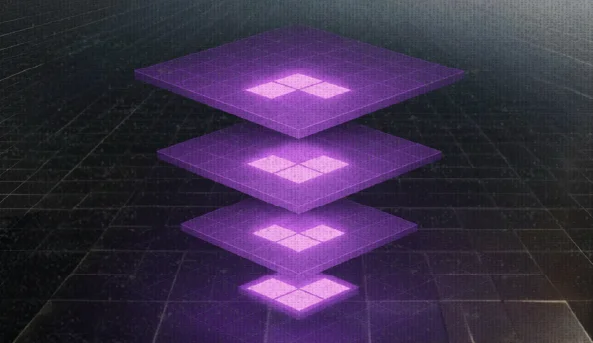
Vision Fusion normalizes scale, lighting and noise into a unified, compression-optimized map.
LOCALIZE
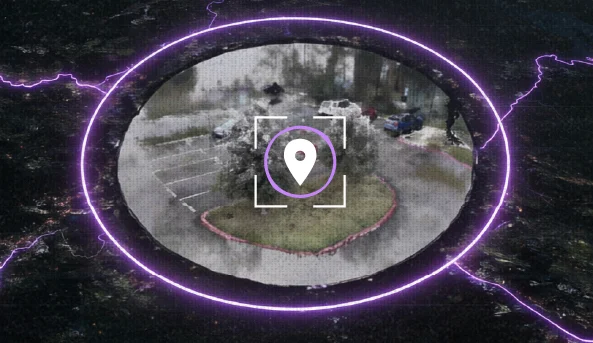
Devices query the map; hierarchical indexing returns a centimetre-true pose in seconds.
Sub 5-CM & 2° of Accuracy
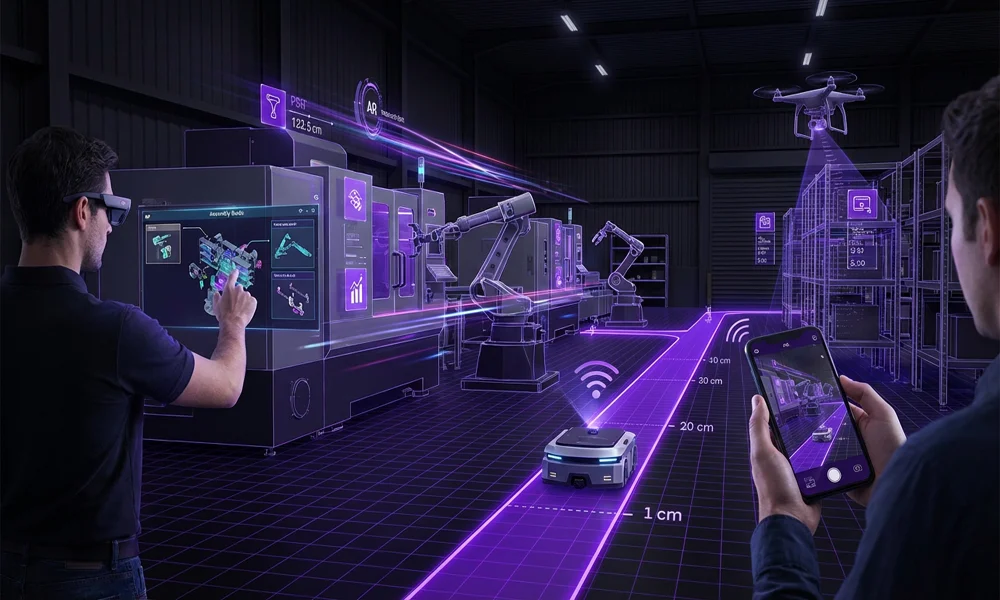
Two men in a high-tech factory using augmented reality and a smartphone to control a small robot navigating a path marked with distance measurements.
Seamless Indoor + Outdoor
Dynamic, Changing Environments
Multi-Floor / Multi-Level
Multi-Map Hand-Offs
Low Light + Direct Glare
Robust to Crowds, Vehicles & Moved Equipment
Maps as Infrastructure
Scan-Agnostic Input
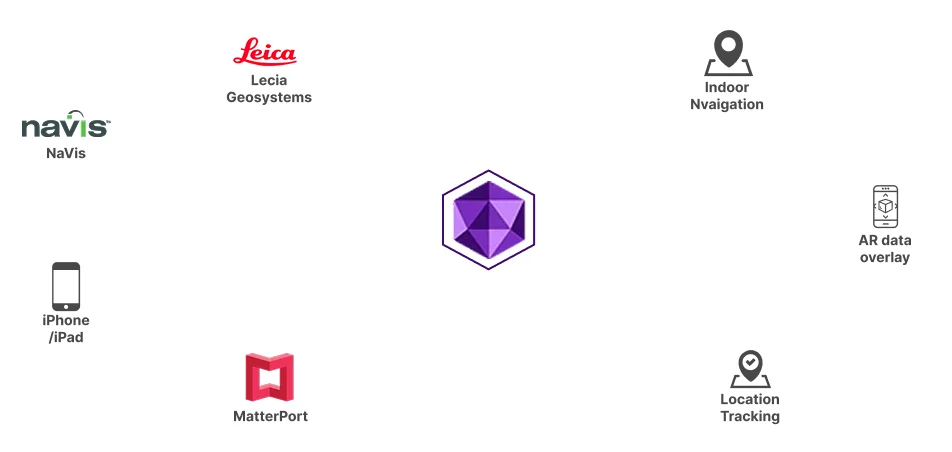
Feed LiDAR, Gaussian Splats, 360 video, point-cloud, textured meshes to MultiSet; Vision Fusion  normalizes them into one high-fidelity map on a unified coordinate  system so teams can use the hardware they already own.
Diagram showing a central purple hexagonal icon connected to six elements: Leica Geosystems, NaVis, Indoor Navigation, AR data overlay, Location Tracking, and MatterPort with iPhone/iPad icons.

MapSet: Infinite Venue Scale

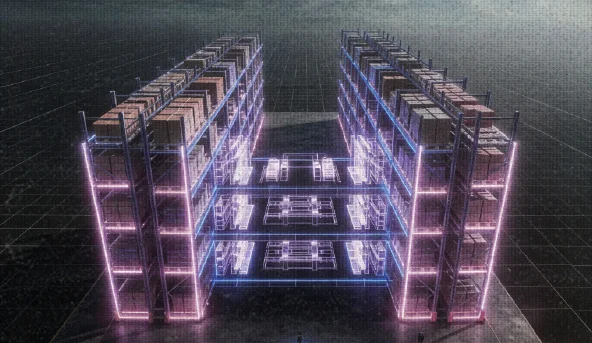
MapSet fuses every LiDAR scan, point cloud, photogrammetry capture, Gaussian splat and 360° video into one continuous coordinate system, so phones, wearables and robots localize in under 52 ms across airports, warehouses and campuses without "map islands."
Unified Coverage
Operators see one coordinate system, not “map islands,” enabling uninterrupted  way-finding and analytics across airports, warehouses and campuses.
Seamless Hand-Offs
Precise relative transforms deliver smooth pose continuity as robots, wearables and phones cross boundaries.
Persistent Maps & Anchors
Anchors, annotations and content persist across every map version. Re-scan to refresh - no re-authoring. Delta updates ship as map updates with rollback, full audit trail and rate-of-change analytics. Map operations are routine, not rebuild-the-world events.
Geo Hint + Floor Level Boost
GPS or UWB priors localize and track faster, while spatial queries stay millimeter-true across stitched maps, powering precision AR overlays and live analytics.

How visual positioning compares to GPS, SLAM, UWB and markers

Visual positioning (VPS)GPS / GNSSVisual SLAMLiDAR SLAMUWBBLE / Wi-FiQR / markers
Typical accuracySub-5 cm3 to 10 m, worse indoorsDrifts without a map2 to 5 cm10 to 30 cm1 to 5 mExact at the marker
Returns orientationYes, full 6-DoFHeading onlyYesYesNo, position onlyNoYes, at the marker
Works indoorsYesNoYesYesYesYesYes
Absolute or relativeAbsolute, against a shared mapAbsoluteRelative to where it startedRelative to where it startedAbsoluteAbsoluteAbsolute at each marker
Hardware to installNone, uses the existing cameraNoneNoneLiDAR sensor per deviceAnchors plus tagsBeacons, battery cyclePrinted targets
Survives app restartYesYesNo, session resetsNo, session resetsYesYesYes
Multi-user shared frameYesYesNoNoYesYesYes
Main cost driverCapture the space onceNoneNoneSensor costInstallation and surveyInstall and battery maintenancePlacing and maintaining targets

Visual Positioning Systems For Augmented Reality

What teams build on VPS

VPS becomes useful the moment a worker, robot drone or asset needs to know exactly where it is. Three patterns drive most enterprise rollouts:
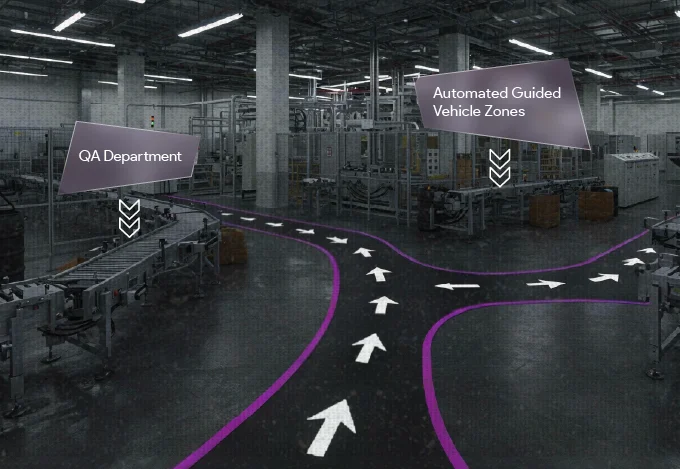
Factory interior with conveyor belts and floor markings indicating directed paths labeled 'QA Department' and 'Automated Guided Vehicle Zones'.

AR Indoor Navigation

MultiSet anchors waypoints, directional arrows and destination markers to centimeter-accurate map coordinates, guiding workers to assets, rooms and AGV zones inside complex industrial environments - without scanning markers or installing beacons.

Real-time AR visualization shortens time-to-asset for technicians, picker workflows in warehouses and field operations across multi-floor and indoor-outdoor sites.
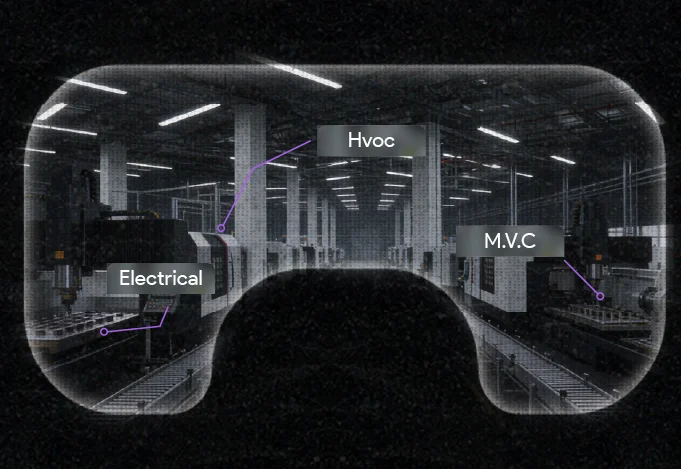
View through augmented reality goggles showing a factory floor with labeled sections: Electrical, HVAC, and M.V.C.

Visualizing BIM Models in
Construction Processes

MultiSet aligns BIM overlays to the physical structure within centimeters, letting construction and commissioning teams compare design intent against as-built conditions and surface discrepancies before they become rework.

The same map persists across phases - design, construction, handover, operations - and across devices: tablets on-site, headsets in QA, AMRs in commissioning.
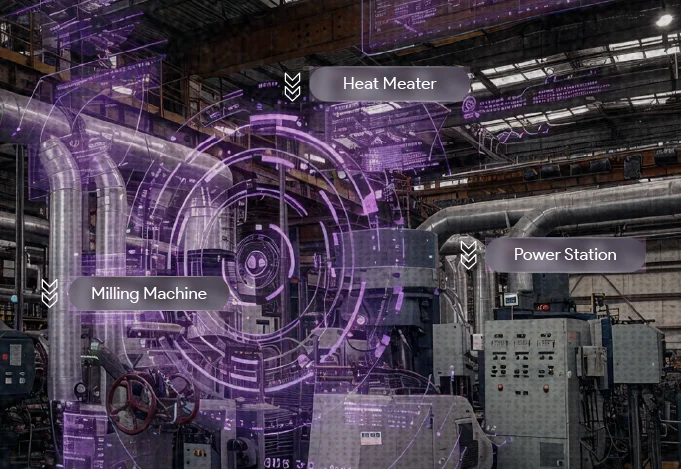
Industrial factory interior with pipes, machinery, and augmented reality data overlays labeling Heat Meter, Milling Machine, and Power Station.

Real-time AR Data overlay

MultiSet pins live machine telemetry, sensor readings and IoT signals directly to the asset in a worker's field of view, giving inspectors and technicians instant context that shortens troubleshooting and reduces downtime.

Common workloads: maintenance work orders, inspection rounds, commissioning and emergency response - all spatially anchored, all version-controlled, all running on the same map.

How does indoor positioning work without GPS?

Satellite signals do not survive a roof and a steel frame, so everything called indoor positioning is a way of replacing that missing signal. There are four families, and the choice between them is mostly a question of what you are willing to install.

A camera against a map. The device compares what it sees to a prebuilt 3D reconstruction of the building and gets back a full position and orientation. Nothing to install, but the space has to be captured once.

Radio time-of-flight. Ultra-wideband anchors and tags exchange precisely timed pulses. Ten to thirty centimetres is realistic, and it is an infrastructure project: anchors need power, mounting and surveying, and every tracked thing needs a tag.

Radio signal strength. Wi-Fi and Bluetooth beacons trilaterate from measured signal strength. One to five metres, degrading as people and inventory move around, with batteries to replace on a cycle.

Printed targets. QR codes and markers at surveyed positions. Exact at the marker, drifting between them, and someone has to maintain thousands of stickers in an environment that scuffs and repaints them.

The table above sets the four against each other on accuracy, orientation, persistence and cost.

Is a visual positioning system the same as SLAM?

No, and the difference decides whether a deployment works.

SLAM builds a map as it goes and tracks against it. The coordinate frame starts wherever the device happened to start, so two devices never agree with each other and nothing survives closing the app. That is fine for a robot navigating a space on its own. It is useless for content that has to stay put.

A visual positioning system localizes against a map that already exists and is shared. Every device gets a pose in the same frame, and it is the same frame next week. Anchors persist, multiple users see the same thing in the same place, and a robot and a technician can be resolved into one coordinate system.

In production they run together. SLAM handles smooth frame-to-frame tracking, and the VPS supplies the absolute fix and corrects the accumulated drift.

The full comparison is on VPS vs SLAM, and how both sit against UWB, BLE and markers is on indoor positioning technologies.

How accurate does indoor positioning need to be?

It depends entirely on the job, and being honest about which job you have is the difference between a project that pays back and one that does not.

Metres are enough to route a person to a room, a gate or a store. If that is the requirement, beacons are cheaper and they work.

Centimetres are required the moment the overlay has to land on a specific object among objects that look the same. One valve among forty. One bin among nine identical aisles. One pump on a utilities floor. At that point nothing under centimetre accuracy is useful at all, because a label on the wrong unit is worse than no label.

Paying for centimetres you do not need is the most common way these projects get expensive. So is discovering at pilot stage that metres were never going to be enough.

The vocabulary used on this page is defined in the glossary. For the wayfinding layer built on top of positioning, see indoor navigation.


Frequently asked questions
What is a Visual Positioning System (VPS) and why do enterprises need it?

A Visual Positioning System uses a device's camera to determine its precise 6-DoF position and orientation by comparing what the camera sees against a digital map of a facility. Compared to GPS, Wi-Fi, beacons or QR codes, VPS delivers far higher accuracy and persistent spatial awareness - essential for enterprise navigation, training, inspection and digital twin overlays in complex indoor and outdoor environments. VPS also enables shared coordinate systems for multi-user AR experiences and multi-device fleets.

What makes MultiSet's VPS architecture different from other VPS platforms?

Four things. (1) Independent - not owned by an OEM, hyperscaler or capture-hardware vendor, so we don't lock you into a single ecosystem. (2) Scan-agnostic - we ingest 10+ scan formats from any reality-capture device you already own, instead of forcing a proprietary capture pipeline. (3) Deploy-anywhere - the same binary runs in our cloud, your VPC, on-prem or fully air-gapped, so your spatial data stays where compliance demands. (4) Persistent - MultiSet is a headless, horizontal VPS layer where anchors and annotations live in the map and survive every re-scan, so map operations stay routine instead of being rebuild-the-world events.

How does VPS compare to GPS, Wi-Fi, beacons and QR codes?

GPS fails indoors and below dense canopy. Wi-Fi and Bluetooth beacons reach 1–5 meter accuracy at best and require infrastructure. QR codes work only at the marker. MultiSet's VPS uses the camera you already have to deliver centimeter-accurate 6-DoF pose continuously - anywhere the camera can see, with no installed infrastructure.

What is MapSet and how does it scale VPS across multi-floor and multi-venue environments?

MapSet stitches every individual scan - LiDAR, photogrammetry, 360° video, Gaussian splats - into one continuous coordinate system. Devices localize across rooms, floors, indoor-outdoor transitions and separate buildings without "map islands" or re-localization. Hierarchical indexing keeps lookups under 52 ms median and < 1 cm drift at 10 m, scaling to 10,000 m²+ footprints.

How does MultiSet treat maps as infrastructure - and what happens when a facility changes?

MultiSet treats your map as durable, versioned infrastructure - an API-first map infrastructure your spatial workflows build on top of. Anchors, annotations and content live in the map and persist across every version, so when a facility changes you re-scan to refresh; you never re-author. Delta updates ship as map updates without SDK redeploys. Map versioning includes rollback, full audit trails and rate-of-change analytics across versions. Map operations are routine, not rebuild-the-world events - which is why MultiSet works for environments that actually change: construction sites mid-build, manufacturing floors mid-retrofit, retail mid-reset, warehouses mid-expansion.

How do I integrate MultiSet VPS into my application?

Use our REST API, Unity SDK, or native iOS, Android, WebXR, Meta Quest, smart glasses or ROS 2 SDKs. Most teams localize their first device in under 10 minutes from sample-scene import. Cloud, private VPC, on-prem and on-device deployment modes all use the same SDK surface.

What scanning and file formats does MultiSet accept?

E57 from Matterport, Leica, NavVis, XGrids and Faro · Matterport MatterPak · GLB and PLY from Polycam and Scaniverse · direct LiDAR via the MultiSet Mapper iOS app · Gaussian splat assets · photogrammetry meshes · 360° video pipelines. Bring any reality-capture format you already own - Vision Fusion normalizes everything into one high-fidelity map.

Which SDKs and platforms does MultiSet support?

Unity, native iOS (Swift), native Android (Kotlin), WebXR, Meta Quest, smart glasses and AR headsets, and ROS 2. We'll build a custom integration for any camera-based device on request.

How do I get started with MultiSet VPS?

Sign up for a free developer account, download an SDK, import the sample scene and follow the quick-start docs - most teams localize their first device in under 10 minutes. For production rollouts and on-prem evaluations, request a demo.

Can I deploy without installs (WebXR / App Clips / Android Instant Apps)?

Yes. MultiSet supports WebXR for browser-based AR, plus iOS App Clips and Android Instant Apps for tap-to-try experiences - useful for pilots, training rollouts and customer-facing deployments where install friction is the blocker.