Spatial Intelligence

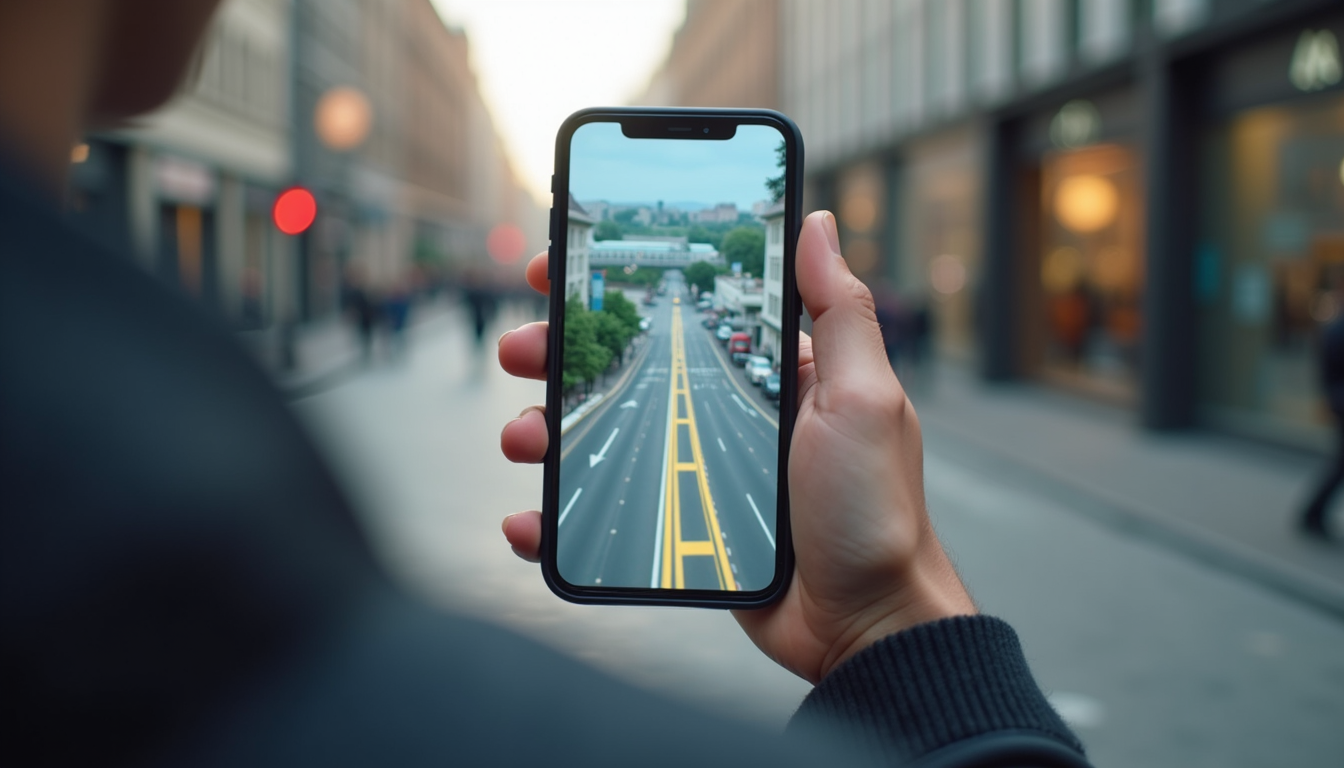
Augmented Reality (AR) is transforming how we interact with digital content in the real world. One of the key challenges in AR development is ensuring that virtual objects align perfectly with physical environments, no matter where the user is located. This is where localization tools come into play, helping developers create seamless and immersive AR experiences. In this article, we will explore the essential aspects of unity sdk localization tools, focusing on their capabilities, benefits, and practical applications.
Unity SDK localization tools are designed to help developers accurately position and orient AR content in the real world. These tools use a combination of sensors, computer vision, and cloud data to determine the device's location and environment. This process, known as localization, is crucial for creating AR experiences that feel natural and responsive.
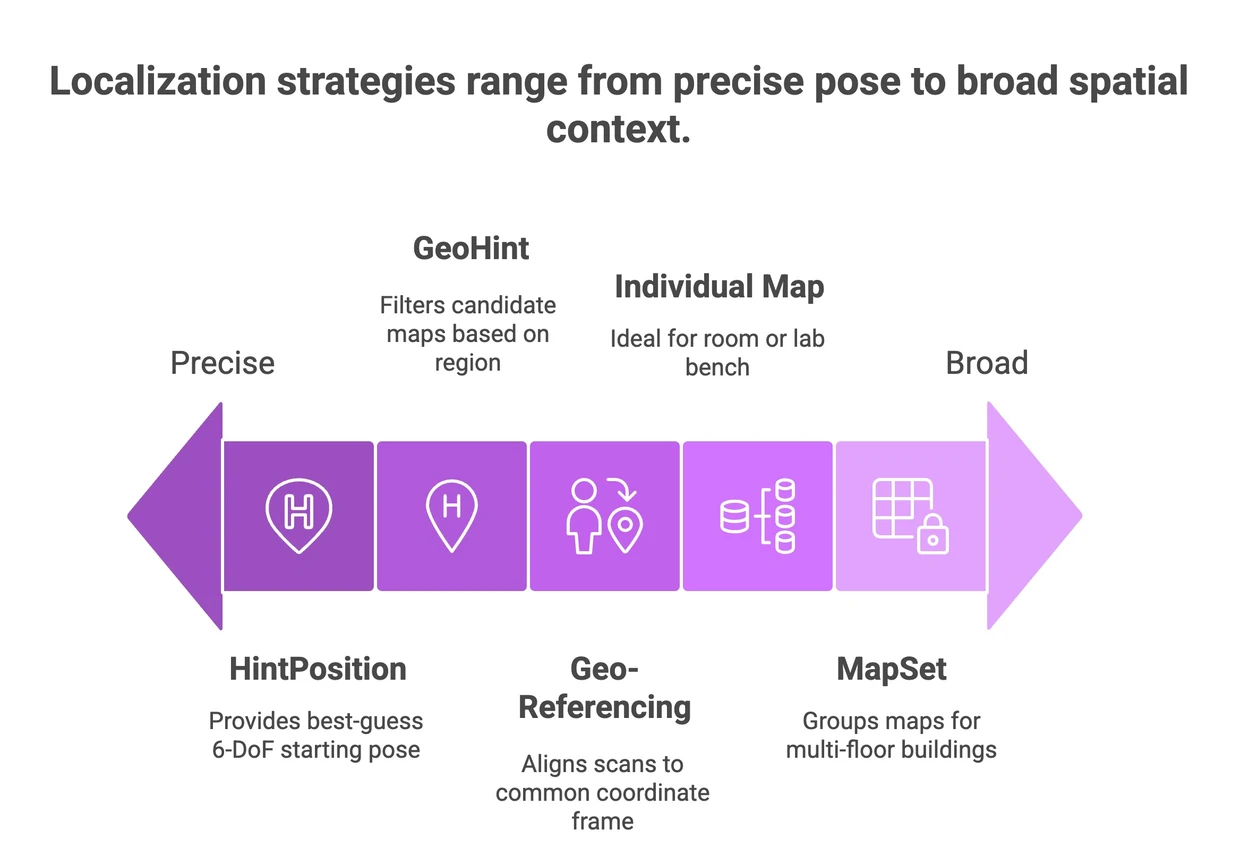
Key Features of Unity SDK Localization Tools
By leveraging these features, developers can build AR applications that maintain spatial accuracy, even as users move around or switch devices.

Implementing unity sdk localization tools in your AR projects offers several advantages that enhance user experience and development efficiency.
Enhanced User Engagement
Accurate localization allows virtual objects to interact realistically with the physical world. For example, an AR furniture app can place a virtual sofa exactly where the user wants it, considering room dimensions and lighting. This level of precision increases user trust and satisfaction.
Cross-Device Consistency
Localization tools enable multiple users to share the same AR experience. For instance, in a multiplayer AR game, all players see virtual elements in the same physical locations, fostering collaboration and competition.
Reduced Development Time
By providing ready-made localization frameworks, these tools save developers from building complex positioning systems from scratch. This accelerates the development cycle and reduces costs.
Practical Example: Retail AR
Retailers can use localization tools to create virtual try-on experiences or interactive store guides. Customers can see how products fit in their homes or navigate large stores with AR directions, improving shopping convenience.

At the core of unity sdk localization tools is a combination of hardware and software technologies that work together to achieve precise localization.
Sensor Fusion
Devices use multiple sensors such as GPS, accelerometers, gyroscopes, and cameras. Sensor fusion algorithms combine data from these sources to estimate the device’s position and orientation accurately.
Visual Localization
The system analyzes camera images to recognize landmarks or visual markers in the environment. This helps correct GPS inaccuracies, especially indoors or in urban canyons where satellite signals are weak.
Cloud Anchors and Mapping
Some localization tools use cloud services to store and share spatial maps. This allows AR content to persist over time and be accessed by different users in the same location.
Example Workflow

To get the most out of unity sdk localization tools, consider the following recommendations:
By following these tips, developers can create AR applications that are reliable, scalable, and user-friendly.
One powerful solution available today is the Unity AR localization SDK. This SDK offers a comprehensive set of tools for precise AR localization, combining sensor fusion, visual recognition, and cloud-based mapping. It supports a wide range of devices and environments, making it suitable for various AR applications such as gaming, retail, industrial training, and navigation.
The SDK simplifies the integration process with Unity, providing developers with APIs and sample projects to accelerate development. Its cloud infrastructure ensures that AR content remains consistent and persistent, even across multiple sessions and users.
Using this SDK can significantly enhance the quality and reliability of your AR projects.
The field of AR localization is rapidly evolving, with new technologies and approaches emerging to improve accuracy and usability.
AI and Machine Learning
AI algorithms are being used to enhance visual recognition and predict device movement, leading to smoother and more reliable localization.
5G Connectivity
Faster and more stable network connections enable real-time cloud processing, allowing AR applications to offload heavy computations and update spatial maps instantly.
Edge Computing
Processing localization data closer to the user reduces latency and improves responsiveness, especially in crowded or remote areas.
Integration with IoT
Combining AR localization with Internet of Things (IoT) devices can create smarter environments where virtual content reacts dynamically to physical changes.
Staying informed about these trends will help developers leverage the latest advancements to create cutting-edge AR experiences.
If you are ready to dive into AR development with localization capabilities, here are some steps to get started:
By following this process, you can build AR applications that deliver immersive and accurate experiences.
Unity localization tools are essential for creating AR applications that feel natural and engaging. Whether you are developing games, retail solutions, or industrial applications, leveraging these tools will help you overcome the challenges of spatial alignment and consistency. The Unity AR localization SDK is a robust option that combines advanced technologies to simplify and enhance AR development. Embrace these tools today to unlock the full potential of augmented reality.