VPS

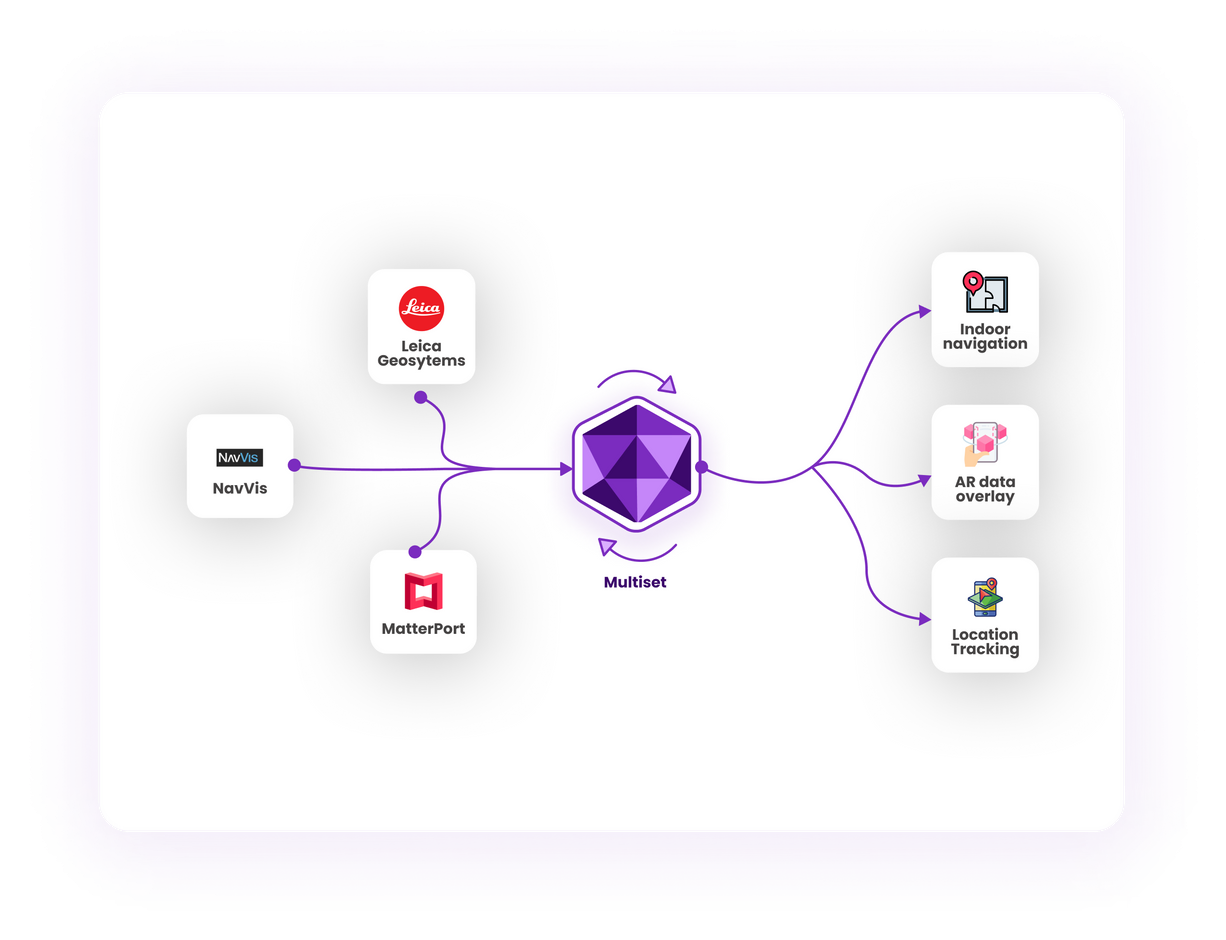
We are excited to announce an important feature in our MultiSet Visual Positioning System (VPS): seamless support for localization in third-party maps using E57 files, including data from Matterport, NavVis, and Leica scans. Whether you’re working with a sprawling factory floor, a bustling shopping mall, or a stadium filled with tens of thousands of seats, MultiSet VPS can now provide reliable, centimeter-level localization on these diverse mapping platforms.
E57 is a widely-adopted industry standard for storing 3D imaging data. By supporting E57 files, MultiSet VPS makes it easier than ever to integrate and localize across numerous scanning solutions:
This interoperability simplifies workflows, letting you capture once and localize everywhere.
Before you begin, ensure these best practices are followed to maximize accuracy and reliability of mapping:
1. Panoramas Must Be Included
Make sure each area has multiple overlapping images. This greatly enhances the VPS’s ability to recognize unique visual features and deliver robust localization.
2. Higher ‘Scan Points’ Density for Matterport
Matterport captures are known for immersive experiences, but for VPS localization, a higher density of scan points than typical tours is recommended. The richer your point cloud data, the better your results.
3. Point Cloud Density: Low or Medium
When exporting E57 files, choose low or medium density. These settings strike the best balance between file size and detail, ensuring efficient processing and high accuracy.
State-of-the-Art Localization Accuracy (<10 cm)
Achieving under 10 cm accuracy is critical for industrial, commercial, and public-facing applications. MultiSet VPS leverages advanced computer vision and SLAM (Simultaneous Localization and Mapping) algorithms to deliver precise localization in real-world spaces.
Indoor and Outdoor Versatility
From factory floors with complex machinery to open-air stadiums, MultiSet VPS is robust enough to handle them all. By integrating panoramic images and point cloud data, we effectively localize devices in dynamic environments.
Instant WebAR Localization
Augmented Reality is no longer confined to specialized apps. MultiSet VPS enables WebAR localization, meaning users can engage with AR experiences right in their mobile browser—no standalone app required.
We understand that data privacy and security are paramount. We offer two modes:
Stay tuned for more updates as we continue to evolve MultiSet VPS, making localization simpler, faster, and more accurate than ever!